Oven – How to replace the user interface and/or the selector switch
Resolution

Always refer to the safety information in your product’s user manual before carrying out any repair or maintenance.https://www.electrolux.com/support/user-manuals/

WARNING!RISK OF ELECTRIC SHOCK
Before carrying out any repair or maintenance, switch off the appliance and unplug it from the socket.
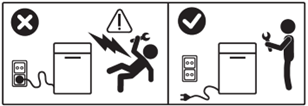
WARNING!RISK OF INJURY

Always take care when moving appliances. For heavy appliances, it’s safest for two people to move them. Always wear safety gloves and safety footwear. Wear safety gloves at all times to protect against cuts from sharp edges.
WARNING! RISK OF EYE INJURY

Wear safety glasses if you’re doing any maintenance or repair work that involves springs.
WARNING!RISK OF BURNS
Before carrying out any repair or maintenance, make sure the appliance is not hot.

WARNING! CHOKING HAZARD
Small parts. Not suitable for children under 3 years. Keep all small parts and packaging out of reach of children.
Only adults should use or install the product.
Make sure to use the product only for its intended purpose and check that it’s a compatible part for the product you’re using.
Do not use or install the product if it is damaged.
Please note that repairing it yourself or getting it fixed by someone who isn’t a professional can have safety consequences if it’s not done properly, and it might also void the warranty. It’s essential that you have the proper know-how.
HOW TO REPLACE THE USER INTERFACE AND/OR SWITCH SELECTOR
To replace the user interface and/or switch selector, you need to access the inside of the front control panel. To do this, we offer several options (depending on the model).
(Option 1) Unscrew the two Torx 20 screws on either side of the front top panel and lift from the back to remove it.
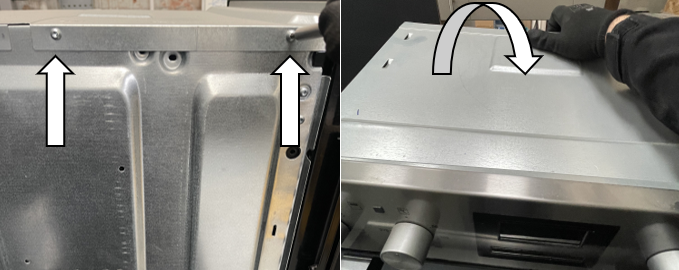
(Option 2) Unscrew the four Torx 20 screws on the top panel and the two Torx 10 screws at the back of the top panel. Then lift off the top panel to remove it.
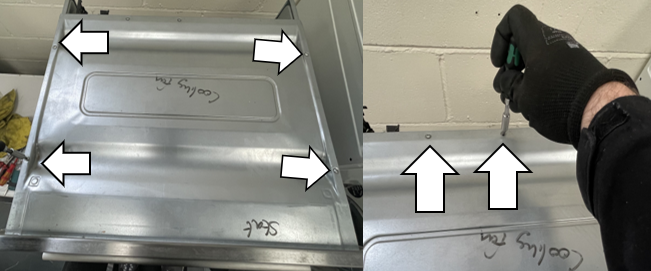
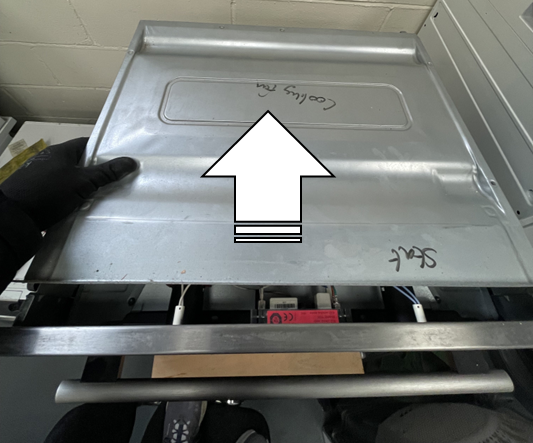
(Option 3) Unscrew the two Torx 20 screws at the top of the panel and lift the two back panel tabs out of their securing slots at the bottom of the oven.
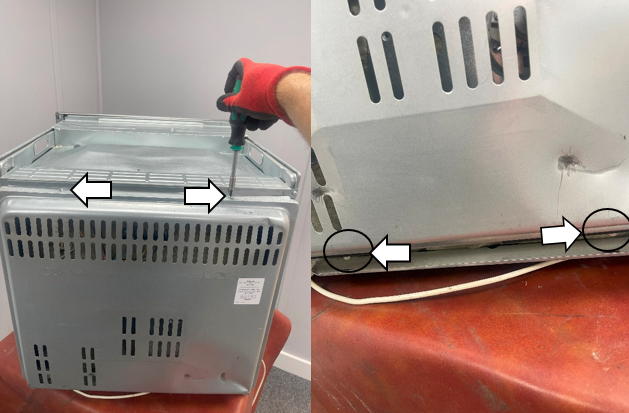
Unscrew the three Torx 20 screws on the right-hand side of the lid.
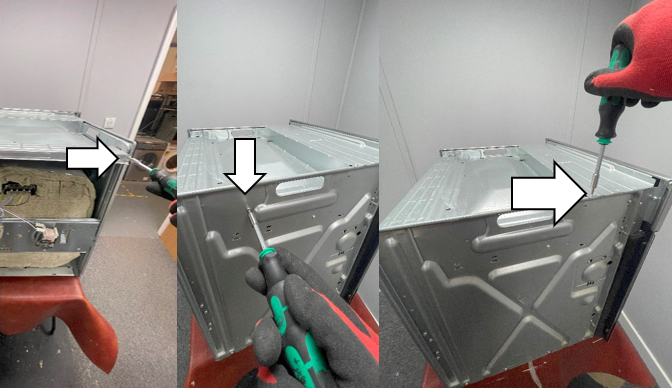
Repeat on the left-hand side and lift the lid to remove it.
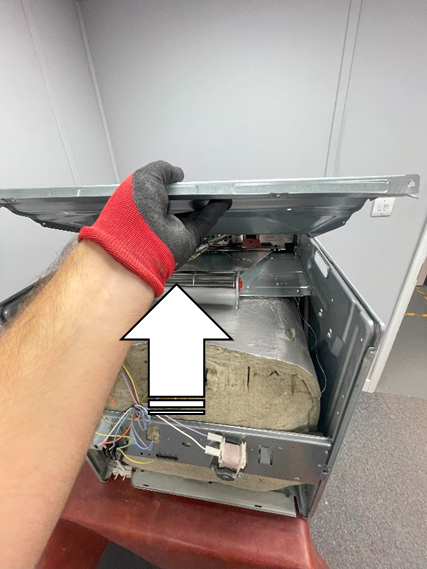
REPLACE THE USER INTERFACE
1. Use a small flat-blade screwdriver to release the two retaining clips under the base of the clock unit, then lift it up from the bottom to remove it.
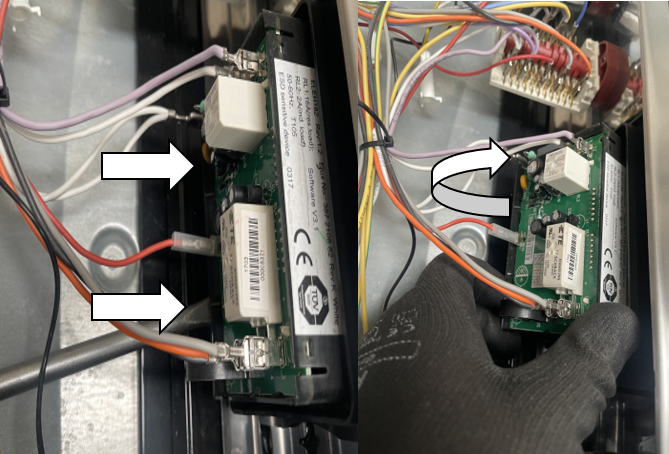
2. Carefully disconnect the wiring connectors from the user interface board spades to remove them. (Note: Take a photo of the wiring positions/locations before disconnecting.)
It’s very important that the wiring is put back in the correct position for the appliance to work properly. Take care not to damage the connectors.
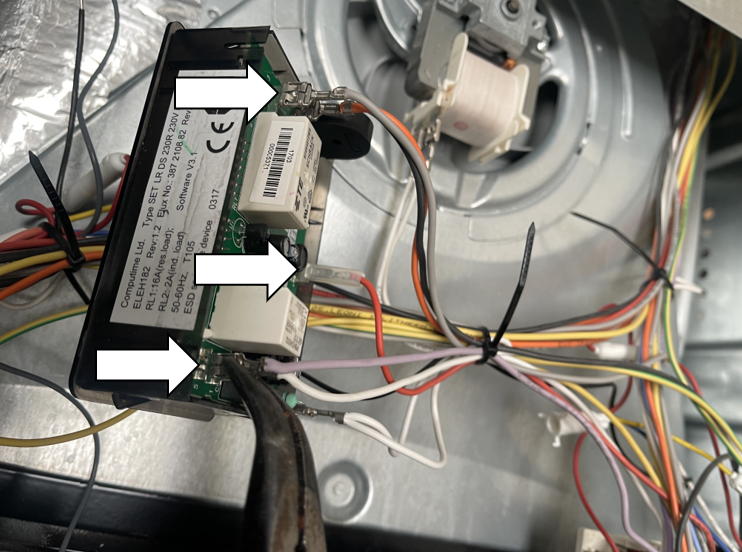
3. When reassembling, repeat the steps in reverse order.
Note: New user interface boards will have a film over the screen that needs to be peeled off before refitting.
REPLACE THE SWITCH SELECTOR
1. Take hold of the control knob and pull it away from the selector switch shaft.
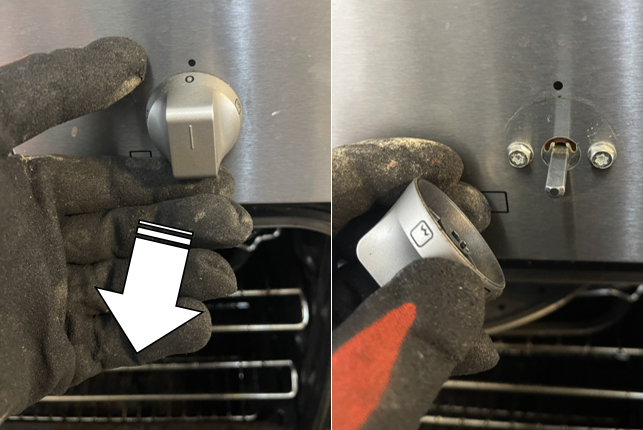
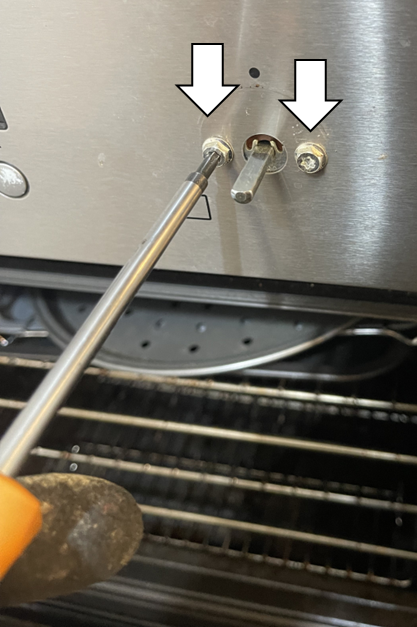
2. Unscrew the two Torx 20 screws to release the oven switch inside the appliance.
3. Slide off and remove the gasket from the selector switch (present in some models).
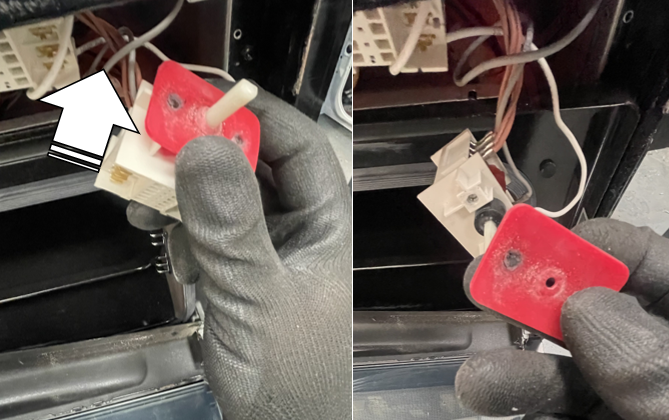
4. Carefully disconnect the wiring connectors from the oven switch spades to remove them. (Note: Take a photo of the wiring positions/locations before disconnecting.)
It’s very important that the wiring is put back in the correct position for the appliance to work properly. Take care not to damage the connectors.
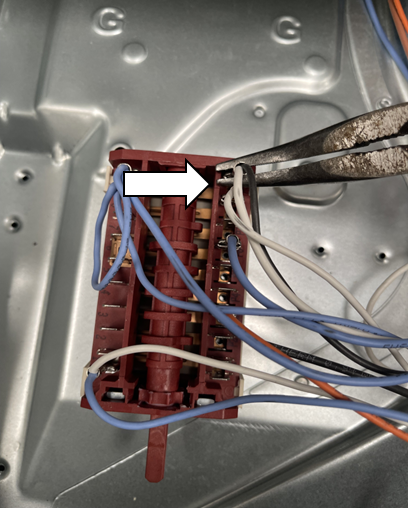
5. When reassembling, repeat the steps in reverse order.
Was this article helpful?
Related Articles
- How to replace glass cooking top on cooker (1)
- How to replace fan/ring heating element (1)
- How to replace glass cooking top on cooker (2)
- How to replace glass cooking top with hood (1)
- How to replace fan/ring heating element (2)
- How to replace fan/ring heating element (3)
- How to replace upper heating element (2)
- How to replace glass cooking top (2)
- Oven – How to replace the heating element
- Oven – How to replace the oven switch
Book a service
Having issues with your appliance? Book a reliable and professional service from our expert technicians to get your product up and running.
Related Articles
- How to replace glass cooking top on cooker (1)
- How to replace fan/ring heating element (1)
- How to replace glass cooking top on cooker (2)
- How to replace glass cooking top with hood (1)
- How to replace fan/ring heating element (2)
- How to replace fan/ring heating element (3)
- How to replace upper heating element (2)
- How to replace glass cooking top (2)
- Oven – How to replace the heating element
- Oven – How to replace the oven switch