Hob displays error message E9
Issue
- The hob is showing an error message E9
Applies to:
- electric (ceramic) hob
- induction hob
Resolution
1. Disconnect the appliance from the power for at least 30 seconds.
Reconnect it and switch it back on.
Note: To restart the appliance, you need to switch it off from the mains and wait at least 30 seconds before switching it back on.
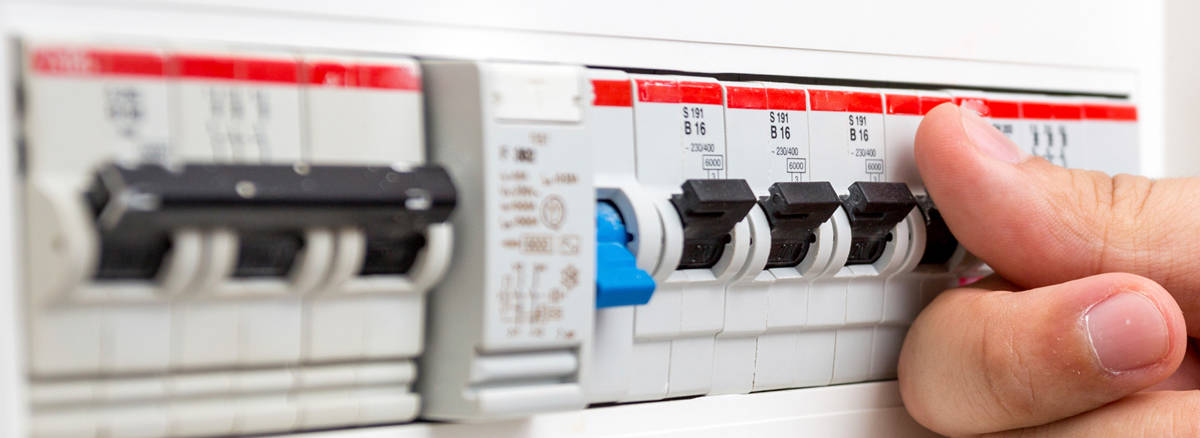
For built-in appliances, because you can't disconnect them from the electricity supply, you'll have to turn them off at the RCD switch.
2. Contact an Authorised Service Centre.
If the above advice does not resolve the problem, we recommend requesting a visit from a service engineer.
Make a note of the reported error code and quote it when you request an engineer. This will not solve your problem, but it will help our engineer identify the cause of the problem.
Cause:
Error code E9 indicates a fault in the electronic module
Was this article helpful?
Related Articles
- Gas hob - Ignition issues
- Hob displays error message E3 / E311 / E312 / E313
- What Do The Gas Mark Numbers Mean / Relate To Temperatures?
- Dropped something on hob / impact damage / cracked glass / care / replace and how to organise a repair
- The SenseBoil function does not work in my induction hob
- The drawer under induction hob gets very hot
- Hot plate switches itself off / beeps
- The ignition on my gas hob keeps sparking
- One of the rings on my Gas Cooker/Hob won’t stay alight?
- Hob blows/ trips fuse
Book a service
Having issues with your appliance? Book a reliable and professional service from our expert technicians to get your product up and running.
Spare parts & Accessories
Find original spare parts for your appliance in our webshop and have them delivered directly to your door.
Related Articles
- Gas hob - Ignition issues
- Hob displays error message E3 / E311 / E312 / E313
- What Do The Gas Mark Numbers Mean / Relate To Temperatures?
- Dropped something on hob / impact damage / cracked glass / care / replace and how to organise a repair
- The SenseBoil function does not work in my induction hob
- The drawer under induction hob gets very hot
- Hot plate switches itself off / beeps
- The ignition on my gas hob keeps sparking
- One of the rings on my Gas Cooker/Hob won’t stay alight?
- Hob blows/ trips fuse